How to Make an Ambient Loop with One Free Synth — Vital + Organic Wavetables
A gliding bass, a drifting pad, an animated pluck and a breathing texture — four sounds from free Vital and organic wavetables, built into a 16-bar ambient loop.
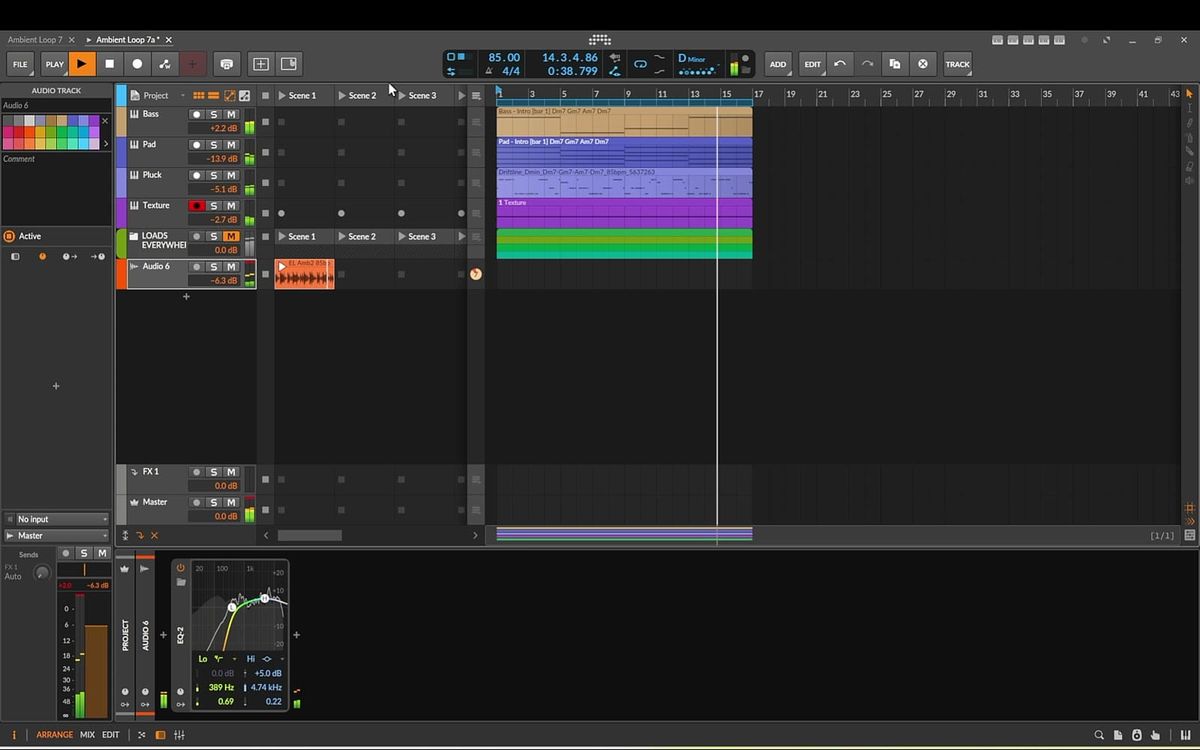
One synth. Four sounds. A loop that keeps moving even when nothing new is being played. That's the whole idea behind this tutorial: build a calm 16-bar ambient loop where every main sound comes from Vital, the free wavetable synth, and every one of those sounds starts from an organic, evolving wavetable.
This is the written companion to my latest video. We generate the chords, bass, and melody first, then design a gliding bass, a slowly drifting pad, an animated pluck, and a long breathing texture, and finish with a gentle drum loop at 85 BPM. I build it in Bitwig Studio, but all of the sound design happens inside Vital, so you can follow along in any DAW.
What you need: Vital (free), any DAW (I use Bitwig Studio), and the EtherLoops tools and wavetables linked at the end of this post. Key: D minor. Tempo: 85 BPM. Length: 16 bars.
1. Generate chords and bass in Track Builder
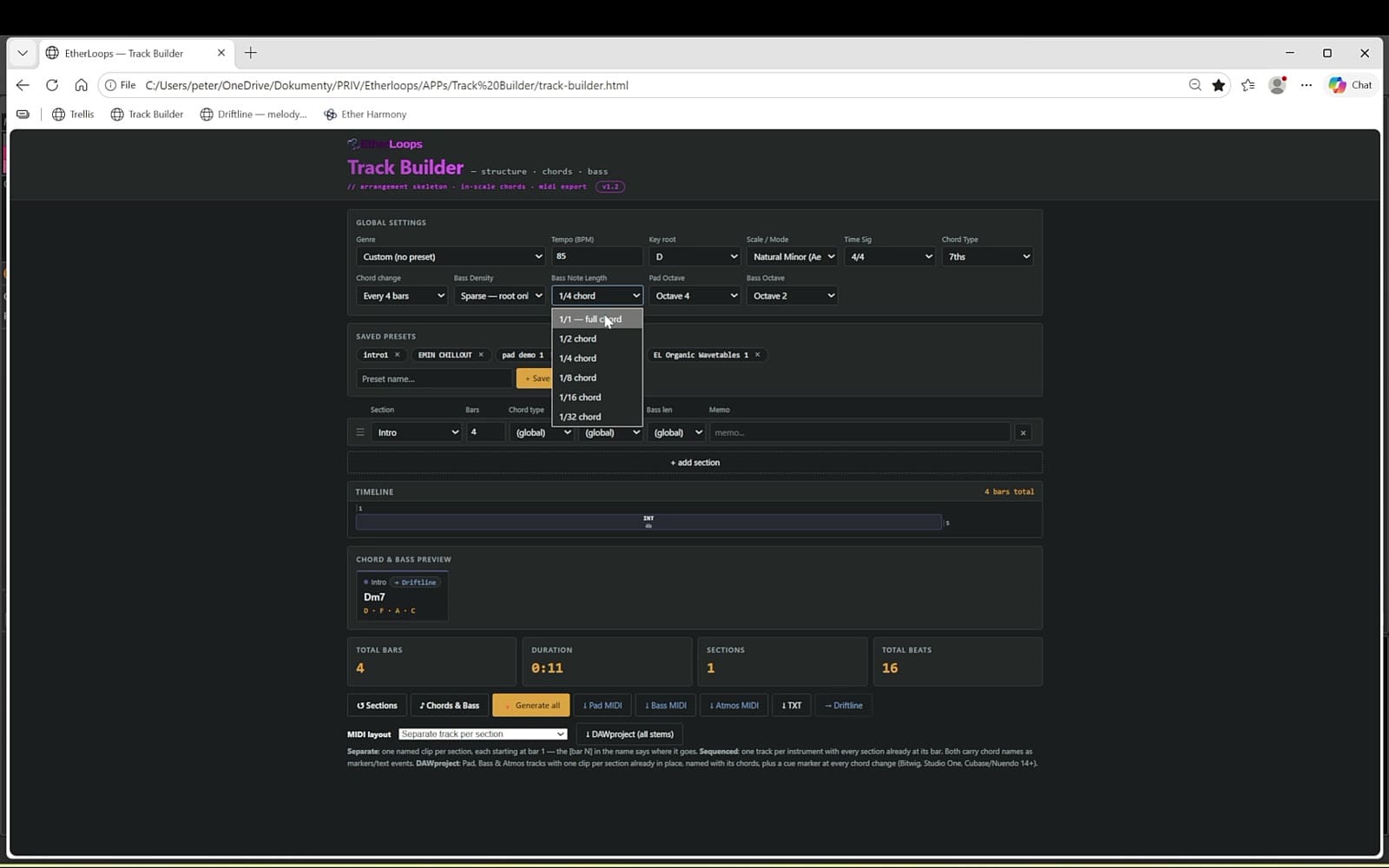
The project starts completely empty, and the sound design needs notes to play. For chords and bass, I use Track Builder, a small app that runs in your browser. By default, it lays out an entire song structure, but for a loop we only need one section, so I delete the rest.
- Set the tempo, root key (D), scale (minor) and chord type.
- Chords change every four bars; the bass plays only the root note.
- Loop length: 16 bars, which gives us four chords.
In the export section, I only need two files: the pad MIDI and the bass MIDI. They land in your Downloads folder, but you don't have to go looking for them — drag them straight from the app onto your DAW tracks.
If you want to go further than a loop, I wrote a full guide on generating MIDI for a complete track, section by section.
2. Write the melody in Driftline
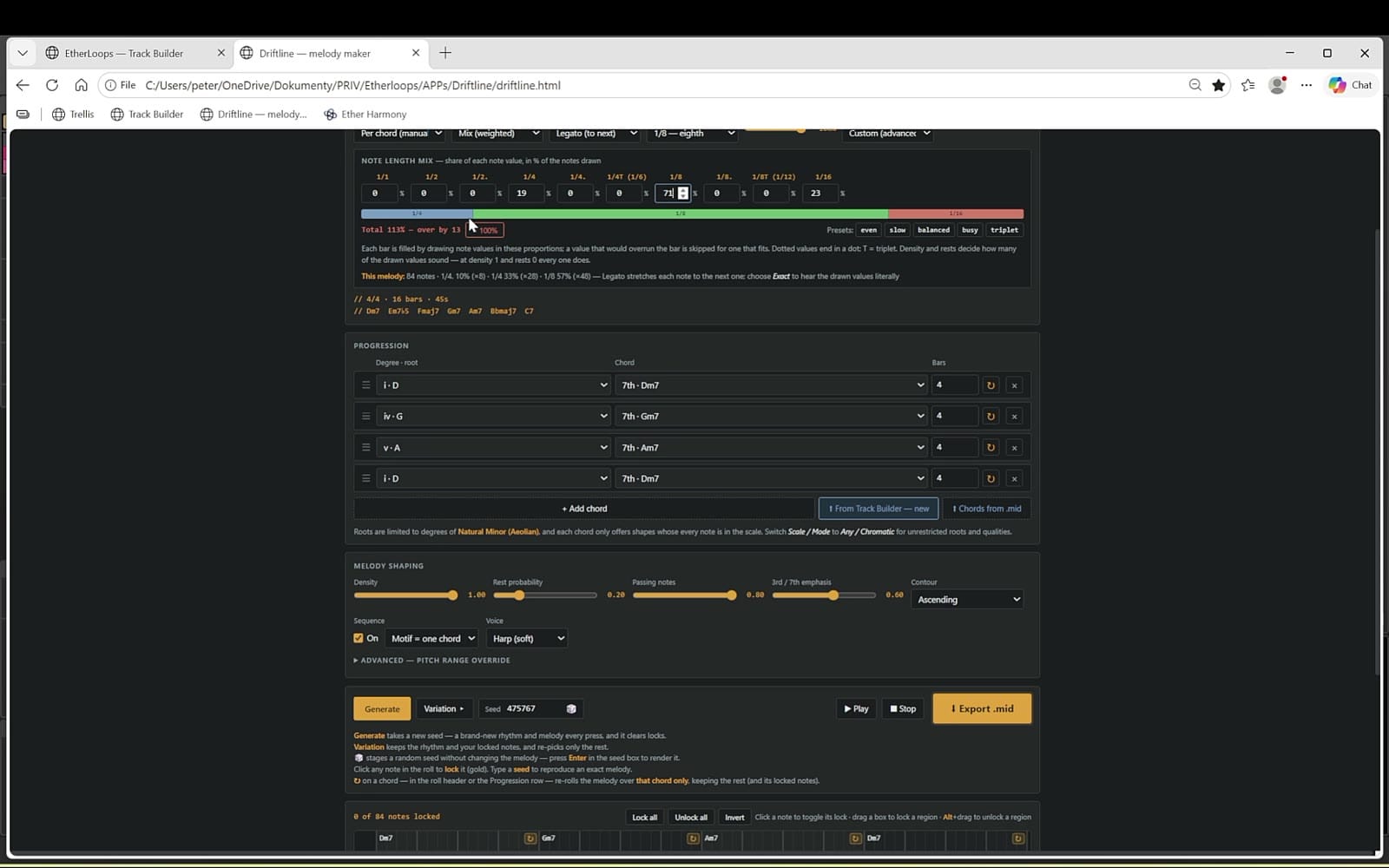
For the melody I use Driftline, a melody generator for ambient, chill and psy producers. It works on its own, but it also integrates with Track Builder: press the Driftline button in Track Builder and the chords are sent over, ready to go.
- Note length mix controls how long or short the melody notes are.
- Melody shaping settings decide how the line moves over the chords.
- Press Generate as many times as you like, for the whole loop or section by section.
When you're happy, press Export and drag the MIDI file onto a new track, exactly like before.
There's a deeper walkthrough of this step in How to Write an Ambient Melody Over Your Own Chords.
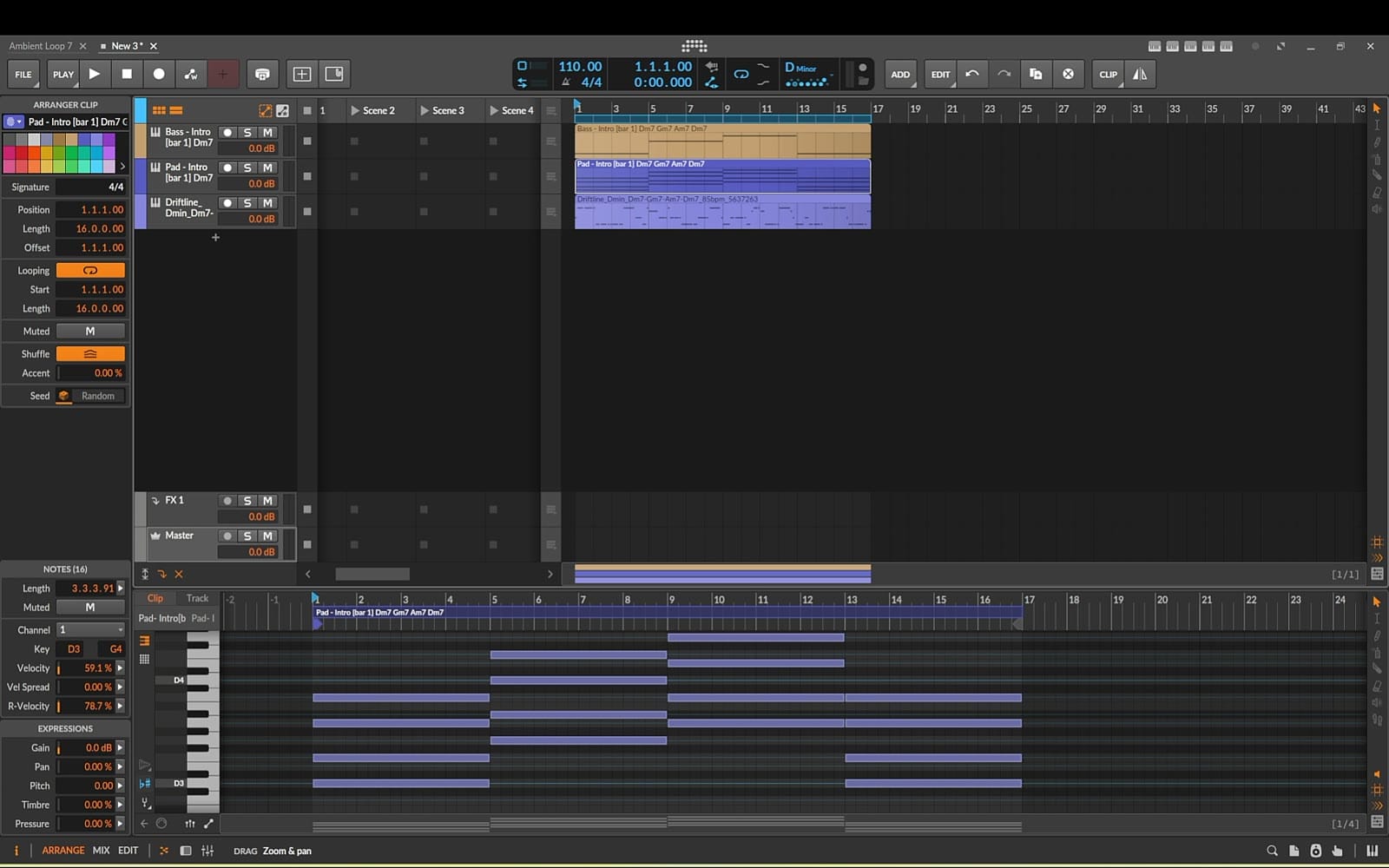
3. Clean up the MIDI in the DAW
Set the project key to D minor, the same key used in the generators. Then a few quick fixes:
- Open the bass clip and use snap-to-key so every note sits in the scale.
- On the pad clip, select the top chord notes that sit too high and press Shift + Down to drop them an octave. This gives a smoother, more consistent voicing.
- Name the tracks Bass, Pad and Pluck (the melody), and add a fourth track called Texture with Vital loaded on it.
4. The bass: one voice, always gliding
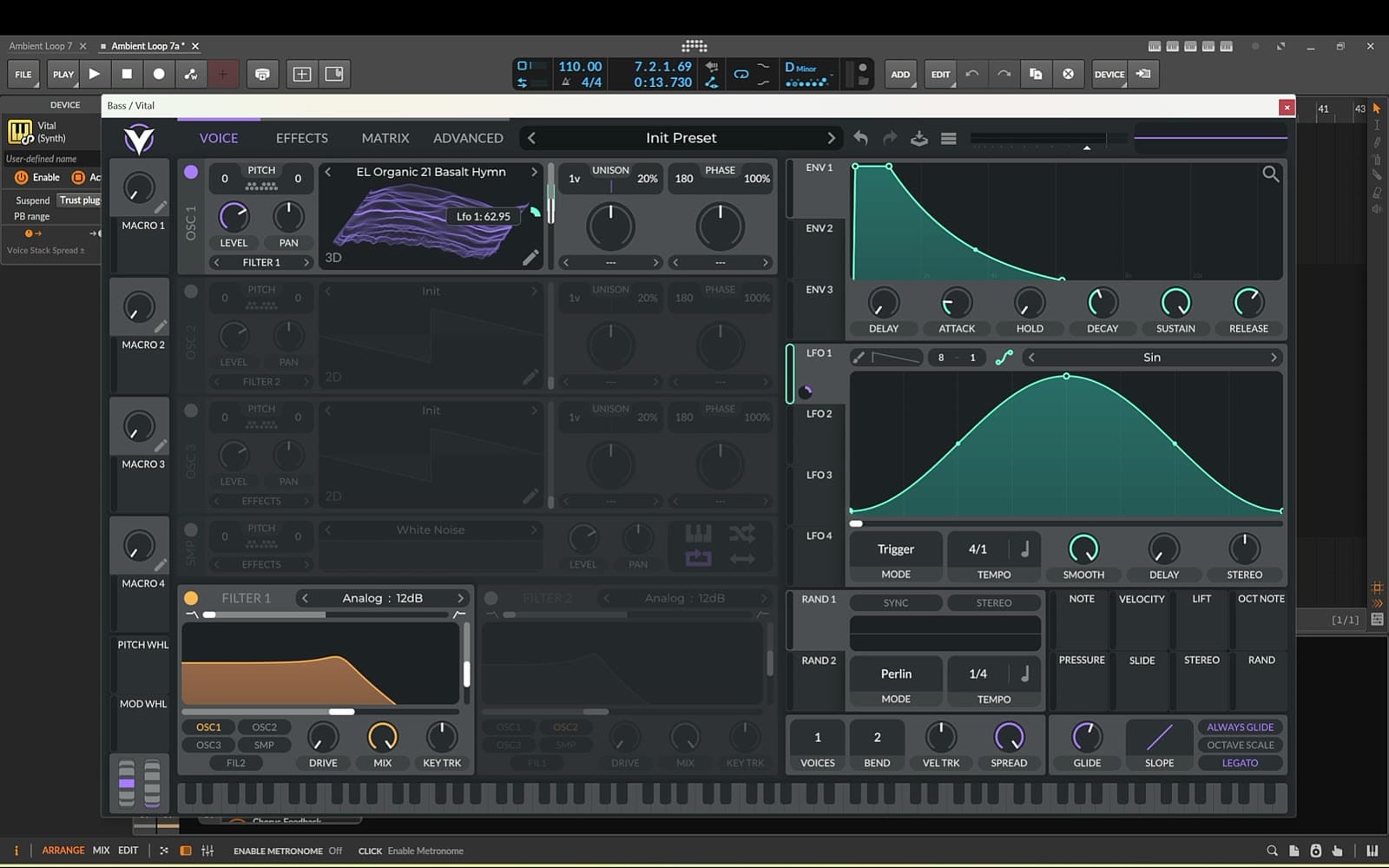
Replace the default instrument on the Bass track with a fresh Vital, solo it and loop it. Then drag a wavetable from EL Organic Wavetables Vol. 1 onto the oscillator — every wavetable in this tutorial comes from that pack.
- Voices: 1 for a simple, clean bass.
- Turn up Glide, switch on Always Glide and Legato, so each note slides into the next.
- Filter 1 on, default 12 dB low-pass.
- A little more attack and a longer release on the amp envelope for soft starts and gentle tails.
Add movement with LFO 1
Set LFO 1 to a synced rate of 4/1 with a smooth sine shape, and map it to the wavetable frame position. Keep the modulation unipolar and narrow the range, so it sweeps only through a small part of the wavetable. The bass now changes colour slowly without ever sounding busy.
On the Effects tab, add a very subtle reverb and a multiband compressor to bring out the low end with a touch of top. Finally, I moved two bass notes that sat too high down an octave.
5. The pad: two wavetables drifting apart
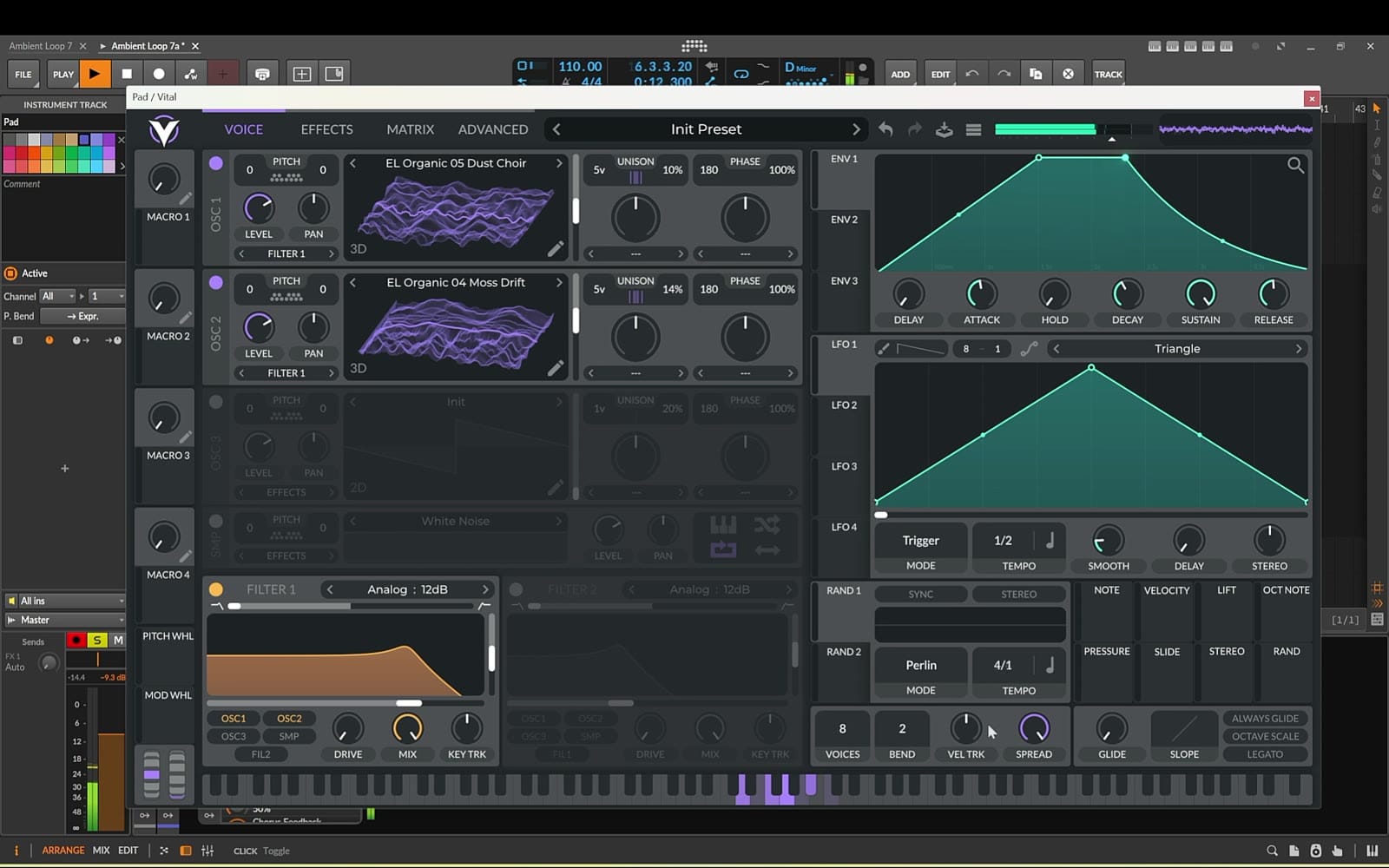
New Vital on the Pad track, soloed together with the bass. Drag in another Organic wavetable, raise the unison voices and lower the detune a little. Before switching on the second oscillator, give the amp envelope a long attack and release — the slow swell and long fade that make a pad a pad.
Now turn on Oscillator 2 with a different wavetable for a richer, more complex sound. Switch on Filter 1 (analog low-pass) to warm the top end, and route the second oscillator into the same filter.
Make it evolve on its own
Use both of Vital's random LFOs. Set the first one nice and slow and map it to Oscillator 1's frame position. Map the second to Oscillator 2's frame position at a slightly different speed. The two oscillators drift independently, so the pad never repeats in exactly the same way.
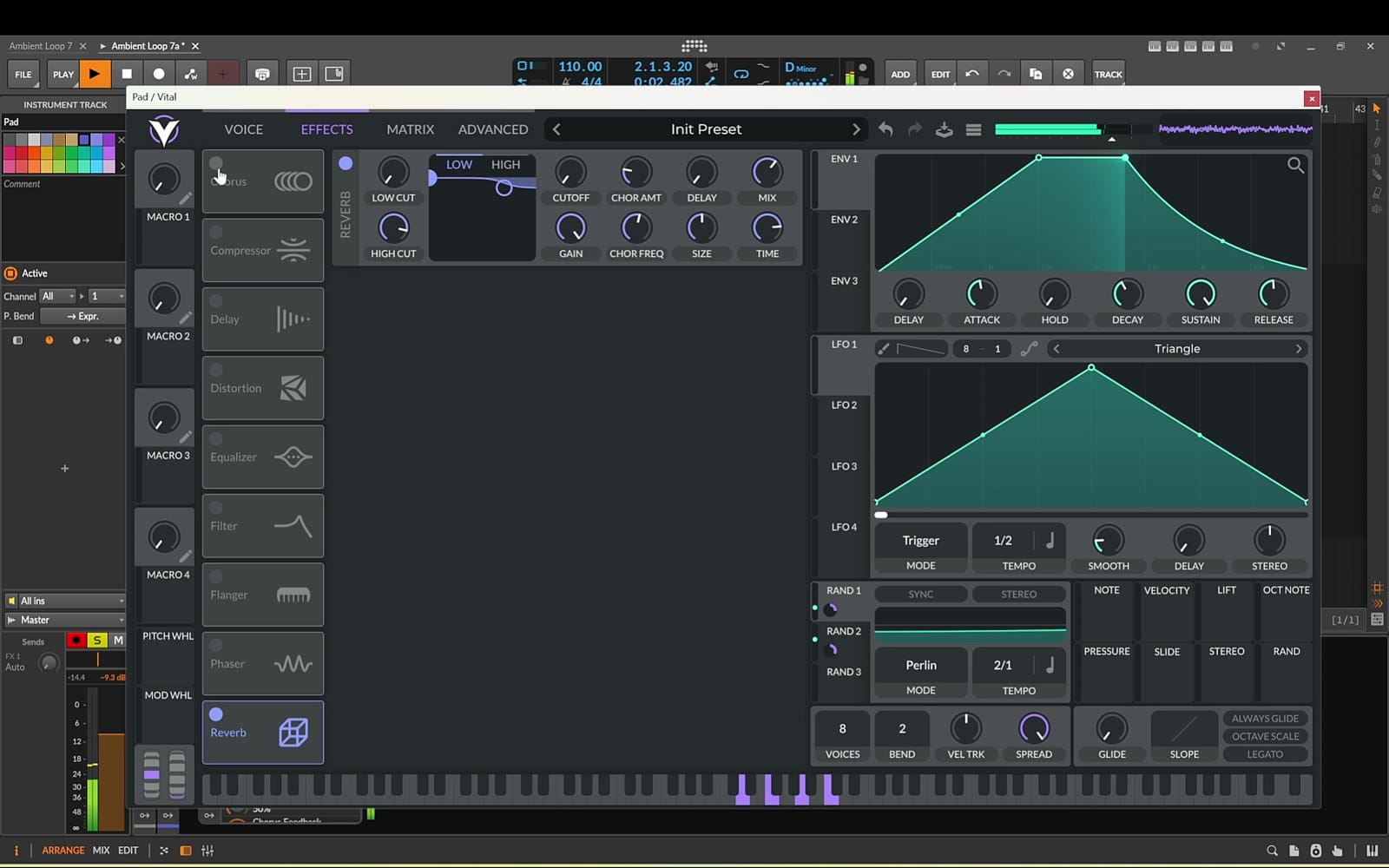
Effects: a touch of reverb for space and depth, plus a flanger for a gentle sweeping motion.
6. The pluck: an envelope that animates every note
Fresh Vital on the Pluck track. A pluck envelope has little or no attack, a short decay and no sustain, so each note hits and fades straight away. Drag in another Organic wavetable, raise the unison voices and lower the detune.
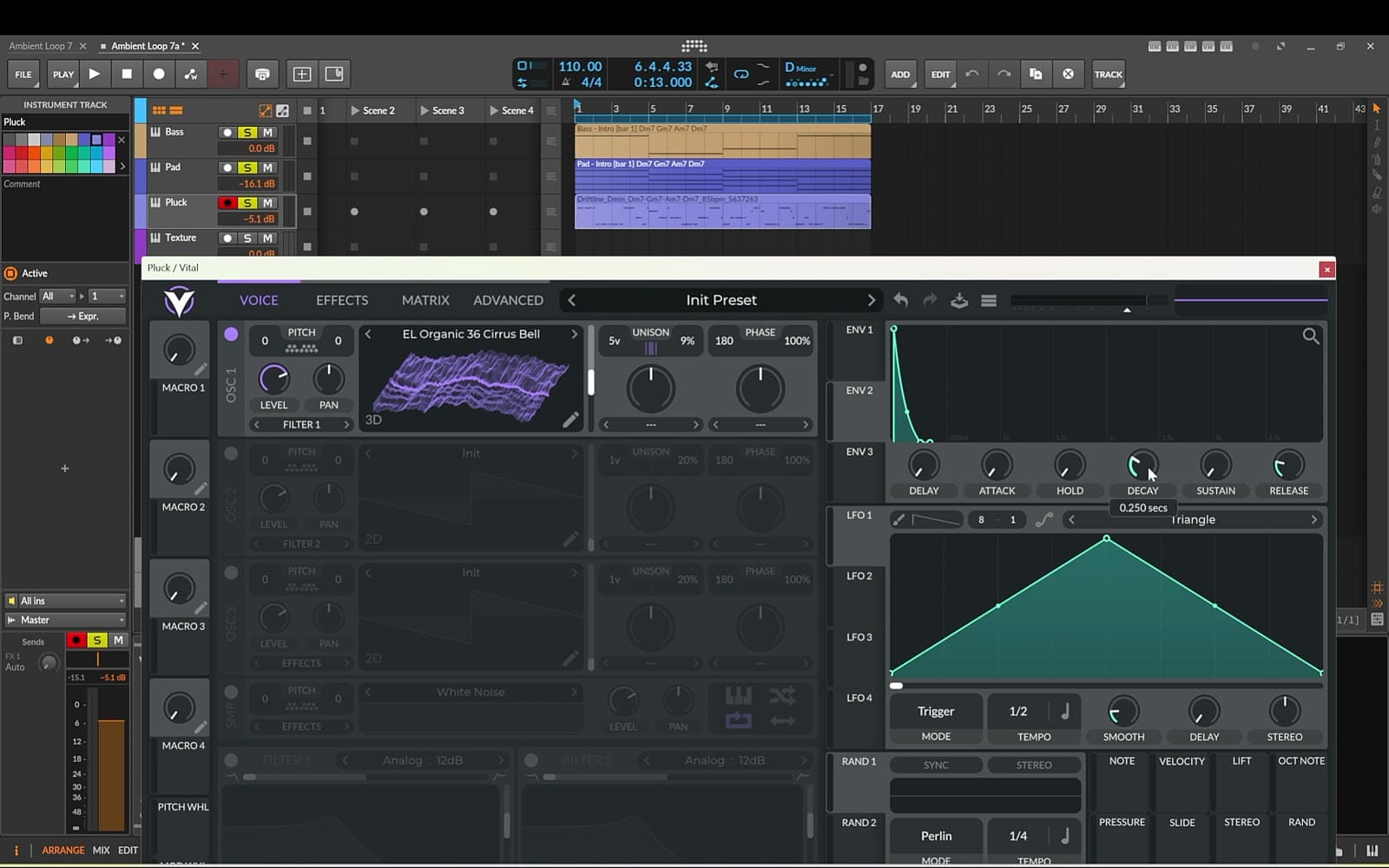
Now the trick that makes it come alive: set Envelope 2 to a short attack, short decay and no sustain, and map it to the wavetable frame position. Each time a note plays, the frame position sweeps quickly across the wavetable, giving the attack a lively, animated character. Switch on Filter 1 (analog low-pass) and map the same Envelope 2 to the cutoff too, so every note briefly opens the filter for an even sharper, more defined attack.
Effects, in this order:
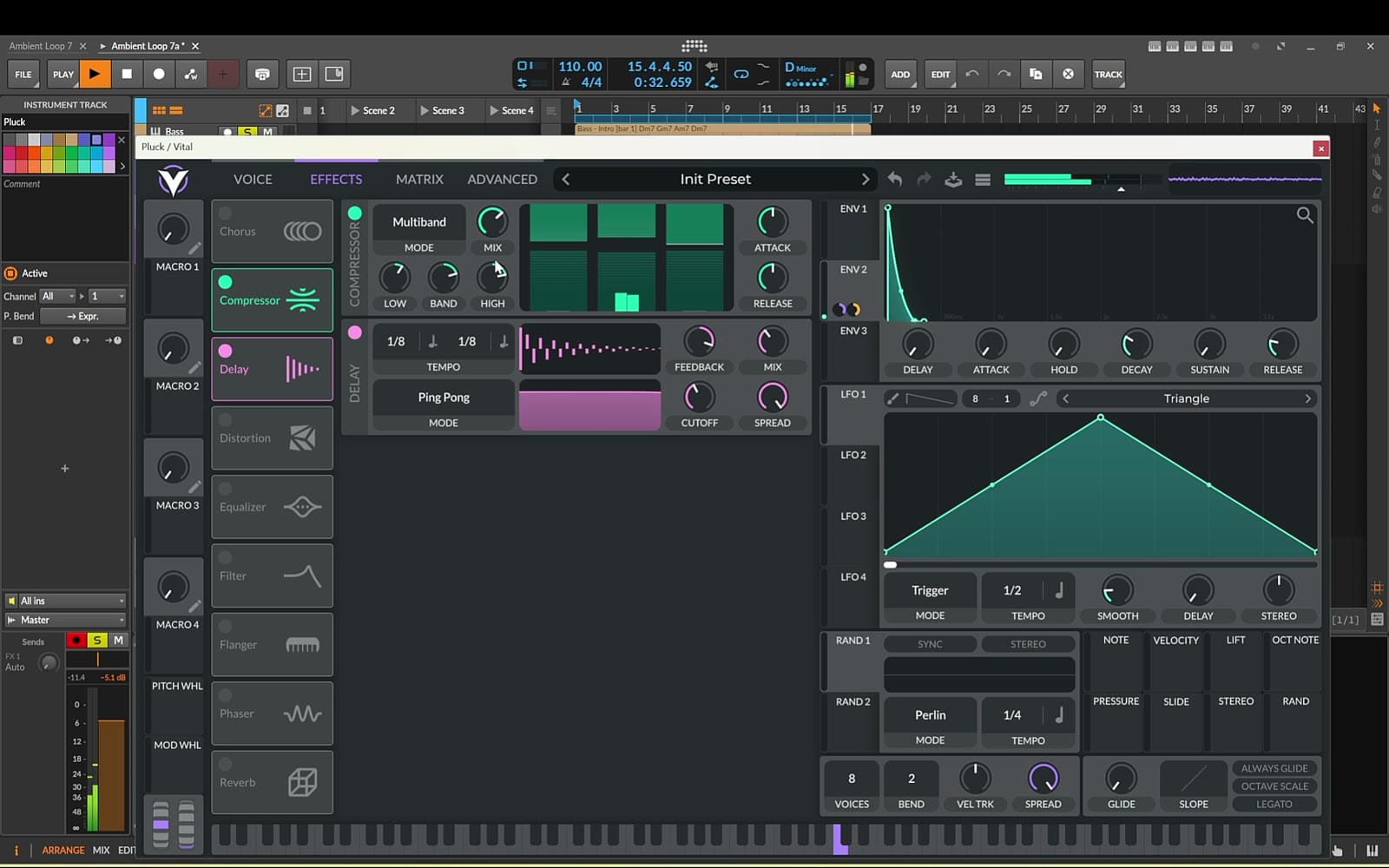
- Delay in ping-pong mode, dotted eighths on each channel, so echoes bounce left and right.
- Multiband compressor focused on the mids and a bit of the highs, to help the pluck cut through.
- A gentle reverb at the end of the chain.
7. The texture: one note that never sits still
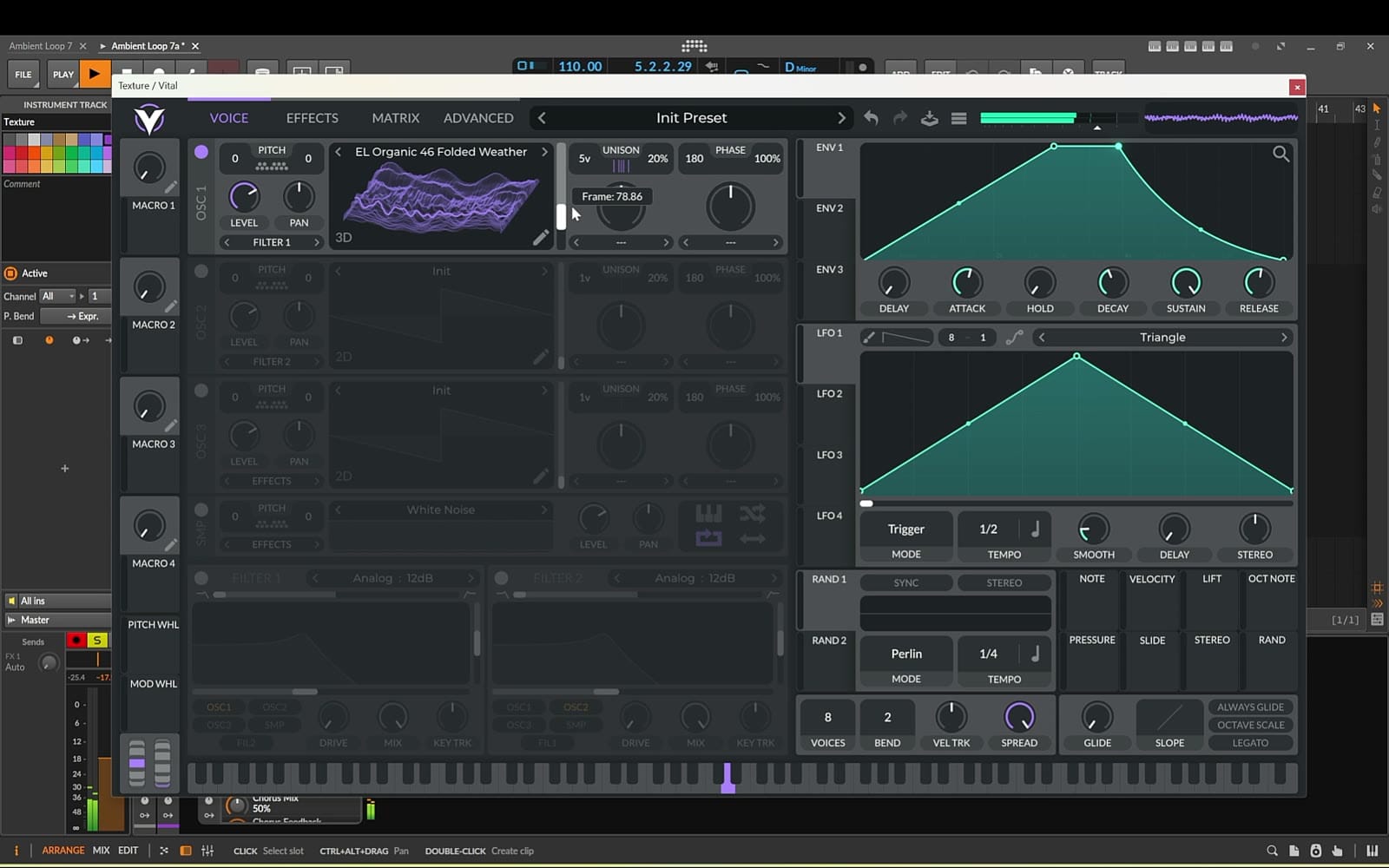
On the Texture track, create a 16-bar MIDI clip with a single D3 held for the whole loop. Drop another Organic wavetable onto Vital, set a long attack and a long release, and raise the unison voices to make it wider and fuller. Add a filter, then move the frame position by hand to hear how the sound changes as it travels through the wavetable.
With only one note playing, the sound has to keep evolving by itself. This time I used one of Bitwig's own modulators instead of Vital's: an LFO with the rate set to bars and the count set to 16, so one full cycle matches the 16-bar loop exactly. Map it to Vital's wavetable frame position. (In another DAW, Vital's own LFO synced to a very long rate does the same job.)
8. Bonus: the same wavetables in other synths
The Organic wavetables aren't tied to Vital. In the video I set up a temporary group with Serum, Pigments and Bitwig's native Polymer, loaded the same wavetables and switched them on one by one to compare a similar pad sound in each.
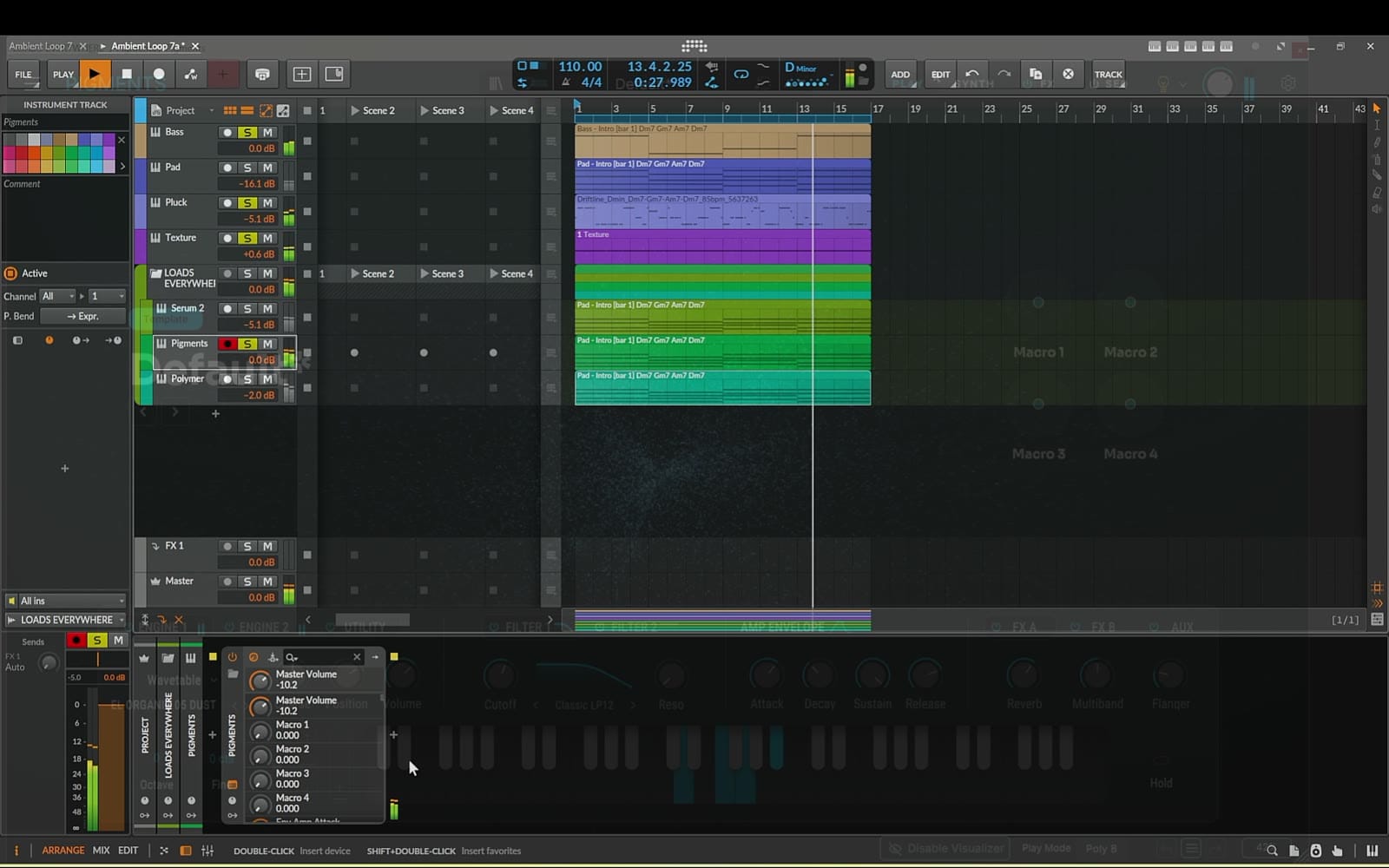
If you prefer Bitwig's own instruments, I showed how to drag custom wavetables into Polymer in this native-tools ambient loop tutorial.
9. Add a gentle rhythm section
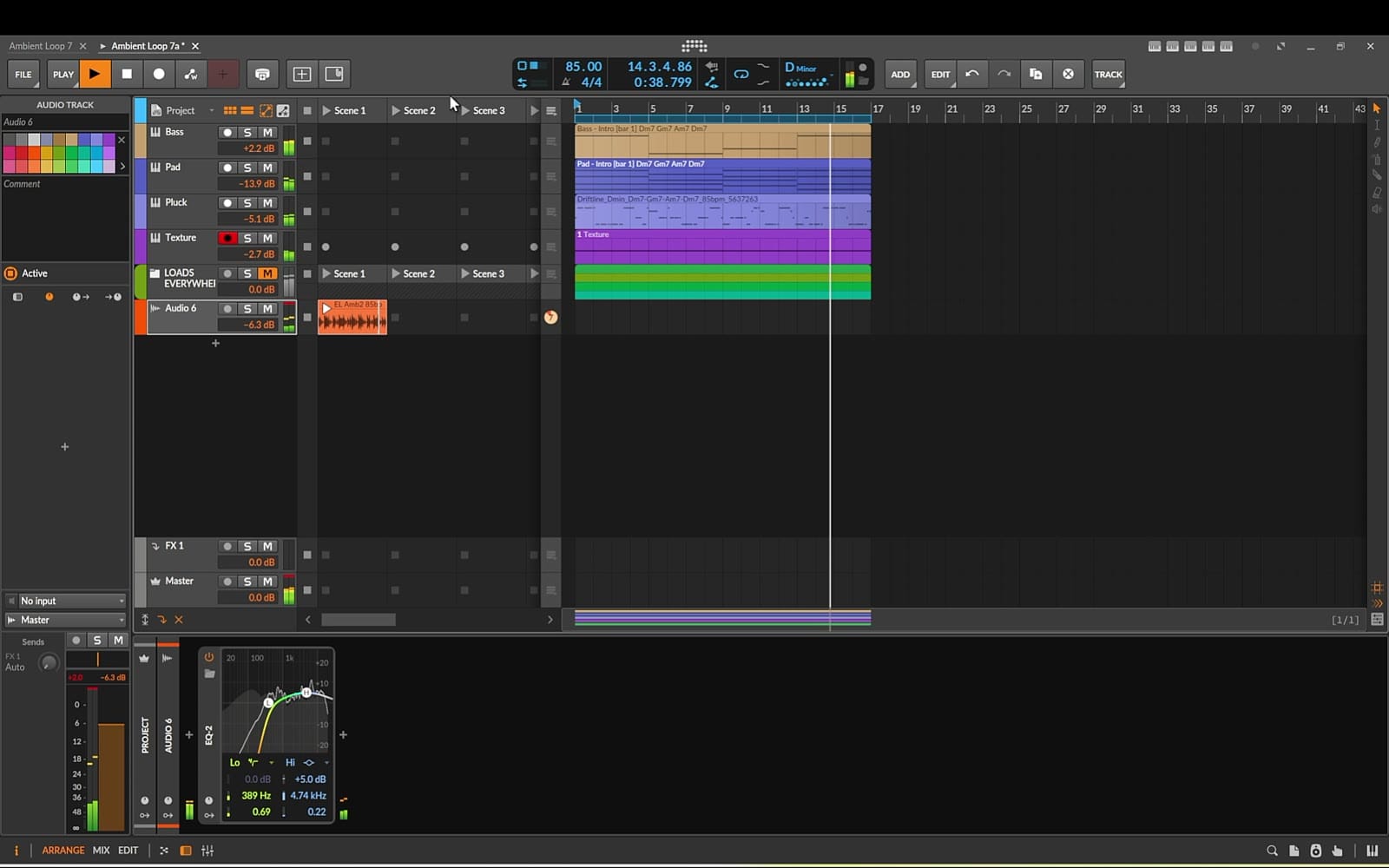
Drop a drum loop into the clip launcher and add a simple two-band EQ so it sits nicely under the other layers. I used a loop from Ambient Electronica Drum Loops Vol. 1, which are all at 85 BPM. Adding it reminded me I'd forgotten to set the project tempo — make sure yours is at 85 BPM too.
Questions
Do I need Bitwig for this? No. Everything except the texture's LFO happens inside Vital, and Vital's own LFOs can replace that too. Any DAW that runs VST3 plugins will work.
Do I need Track Builder and Driftline? No. Any D minor chord progression, root-note bass line and simple melody will do. The apps just get you to the sound design much faster.
Will the Organic wavetables work in my synth? They're standard wavetable files. In the video they load in Vital, Serum, Pigments and Polymer.
What to take from this
None of these patches are complicated. The movement comes from one habit repeated four times: put something slow on the wavetable frame position. A sine LFO on the bass, two random LFOs on the pad, an envelope on the pluck and a 16-bar LFO on the texture. Start from a wavetable that already evolves, and a free synth gives you a loop that keeps breathing.
Keep reading
- How to Build a Dynamic Ambient Loop in Bitwig with Free Surge XT, Arps and Sidechain
- How to Make an Ambient Track from Scratch with Surge XT (Free VST Tutorial)
- How to Generate MIDI for a Complete Track — Chords, Bass and Pads, Section by Section
- How to Write an Ambient Melody Over Your Own Chords (Without Guessing at Notes)
Get the sounds and tools
- EL Organic Wavetables Vol. 1 · 50 Evolving Wavetables — every wavetable used in this tutorial
- Track Builder by EtherLoops — chords and bass MIDI
- Driftline — Melody Maker for Ambient, Chill & Psy Producers
- Ambient Electronica Drum Loops Vol. 1 (20 Full + 20 Top WAV Loops, 85 BPM)